Limits at a glance
Know where
you stand.
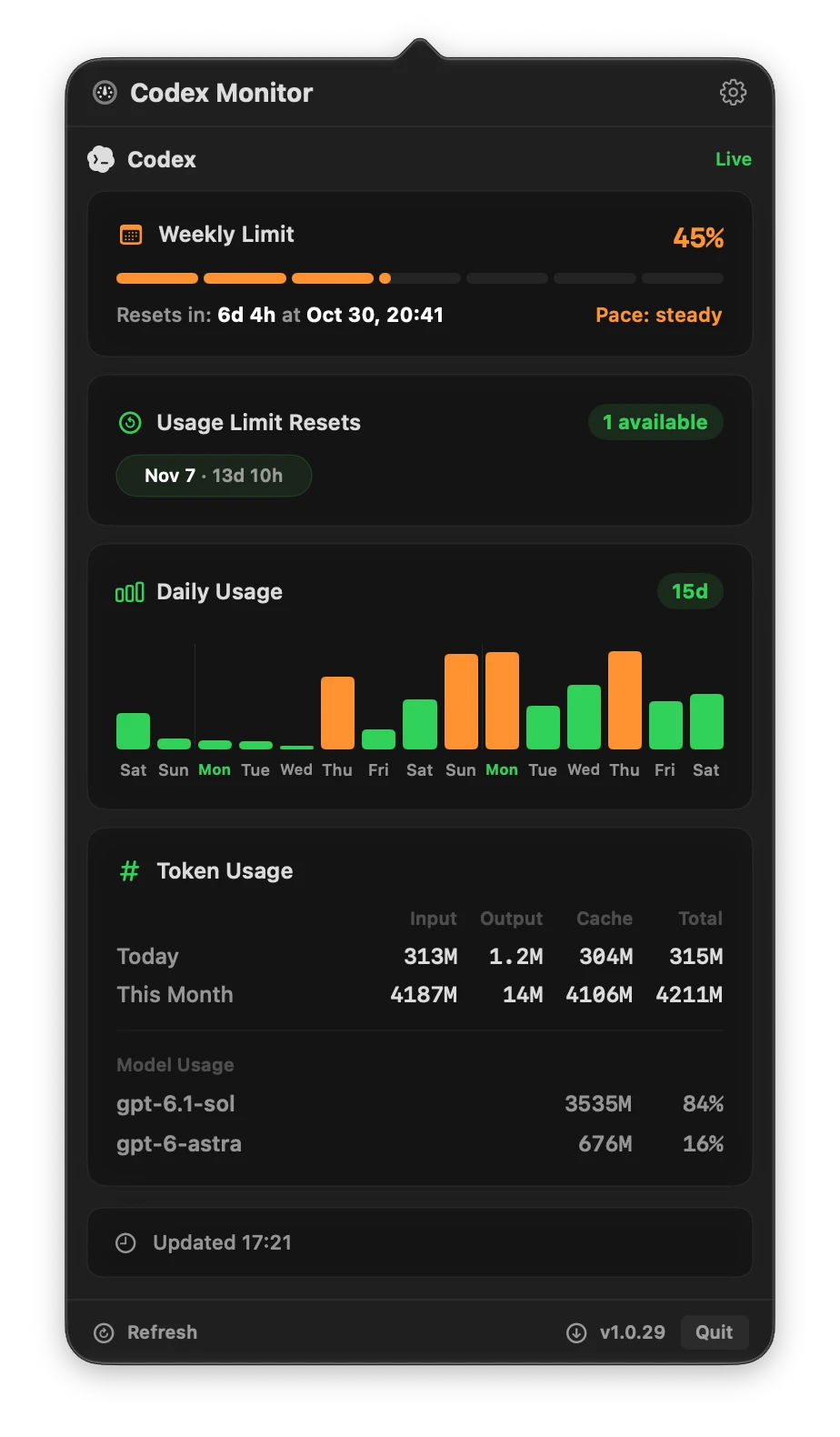
Your weekly quota, with a five-hour view when you need it.
A native macOS menu bar app
Keep your limits, reset times, and token usage in sight. A quiet little companion that lives in your Mac’s menu bar.
Free · Apple Silicon · macOS 14+ Codex installed & signed in
Less checking. More making.
Limits at a glance
Your weekly quota, with a five-hour view when you need it.
Reset countdowns
Know when your limits reset and keep available resets in sight.
Local by design
Reads your local Codex usage. No prompts sent to a model.
Usage history
Daily activity, token totals, and a breakdown by model. All together.
At home on macOS
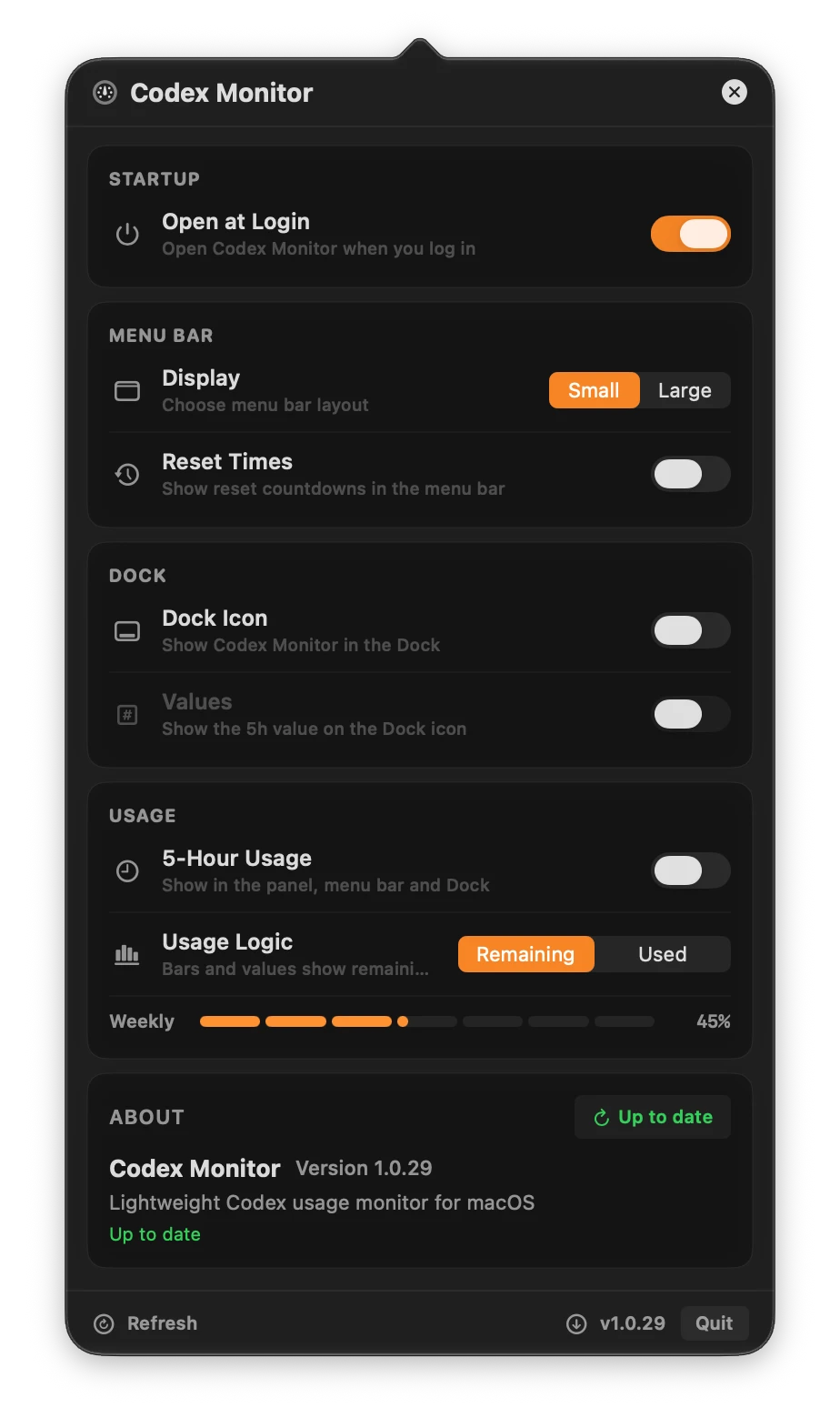
A compact menu bar, optional Dock icon, and native controls. Just how you like it.
Small app. Thoughtful details.
Built with SwiftUI and AppKit, with native controls and a compact menu bar presence. Set it up once, then get back to what you were building.
Up and running
Get the latest CodexMonitor.dmg for an Apple Silicon Mac running macOS 14 or later.
Open the DMG and drag Codex Monitor into your Applications folder.
Sign in to Codex, launch Codex Monitor, and click its menu bar icon.
Developer ID signed and Apple notarized.
A few useful answers
Yes. Codex Monitor is completely free to download and use.
The current download is for Apple Silicon Macs running macOS 14 or later. Codex must be installed and signed in. An Intel build is not included.
Yes. Codex needs to be installed and signed in on your Mac. Codex Monitor reads the usage information available through your local Codex installation.
Codex Monitor reads usage state. It does not start Codex tasks or send prompts to a model.
Yes. Open the app settings and choose your preferred usage display. You can also show or hide five-hour usage and reset countdowns.
The app checks GitHub releases and can download and install an update from its own settings. You can also download the latest DMG from this page.

Apple Silicon · macOS 14+ · Requires a local Codex sign-in